Plan meals. Win clients. Get paid.

Meal plans, leads, follow-ups, WhatsApp and GST invoices. Mealie runs the whole practice from one place.

Personal onboarding, no consultantsWe migrate your clientsGST and WhatsApp built in
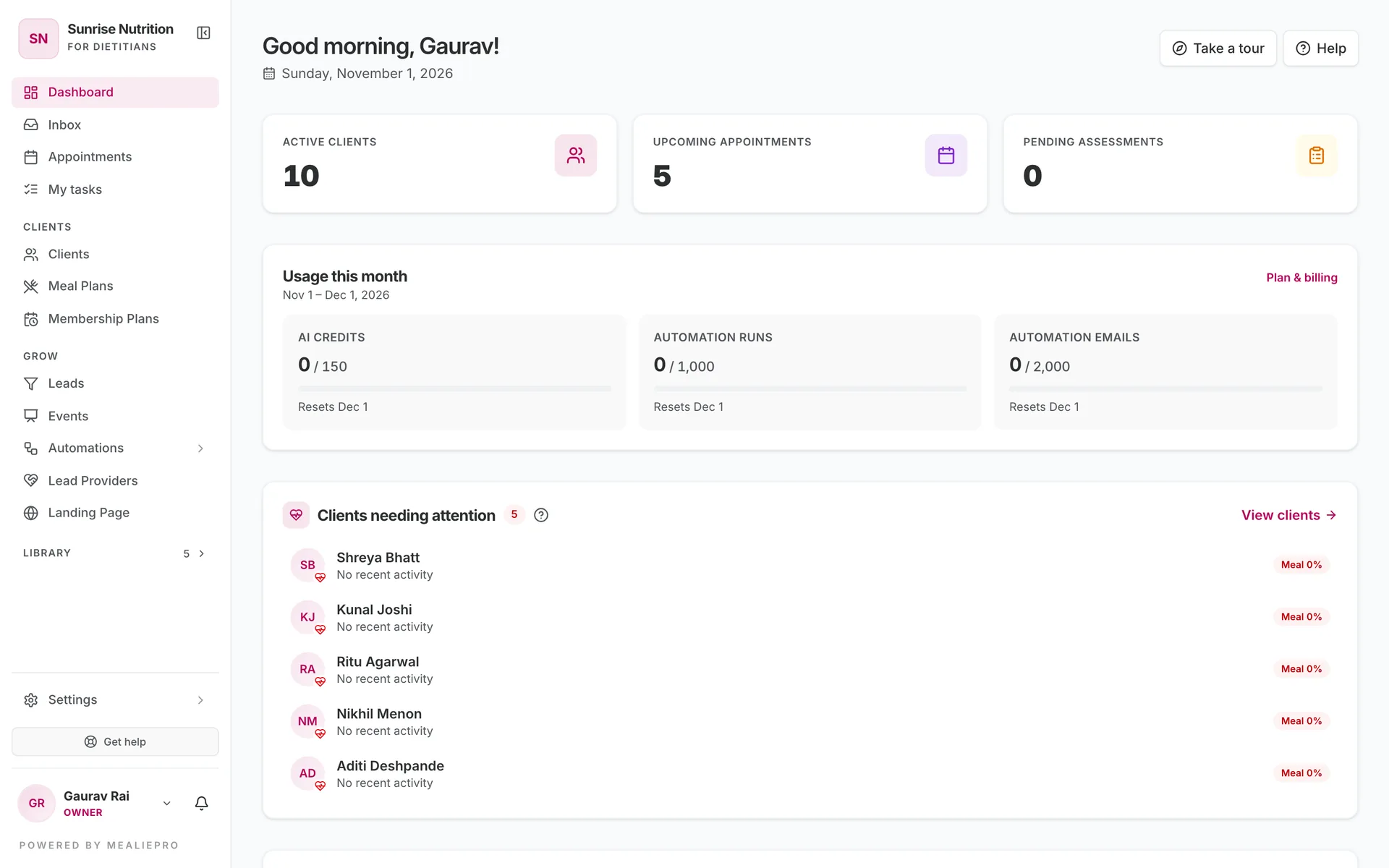
The Mealie dashboard: active clients, upcoming appointments, this month's usage, and clients needing attention

The platform

Everything your practice runs on

Plans, leads and client records in one account. Real screenshots, from a working practice.

1. Meal planning

A full week of meals in minutes

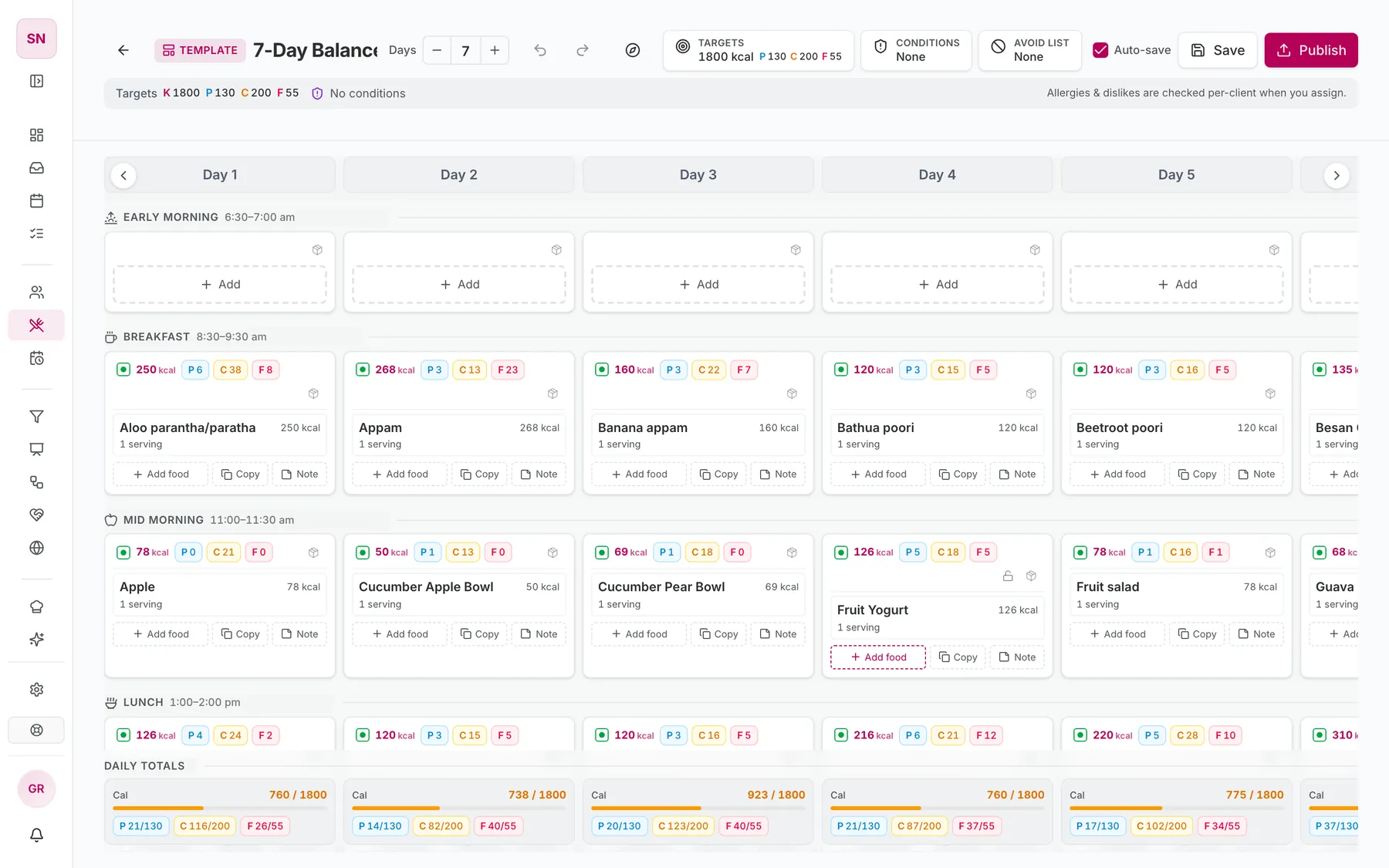
Set the targets, tag the conditions, and get seven days from a verified recipe library.

  • Aware of diabetes, PCOS, thyroid and more
  • Veg, non-veg and regional cuisines respected
  • Calories and macros totalled for every day
The meal-plan builder: a seven-day grid of Indian meals with calories and macros per dish and daily totals

2. Lead management

Every enquiry on one board

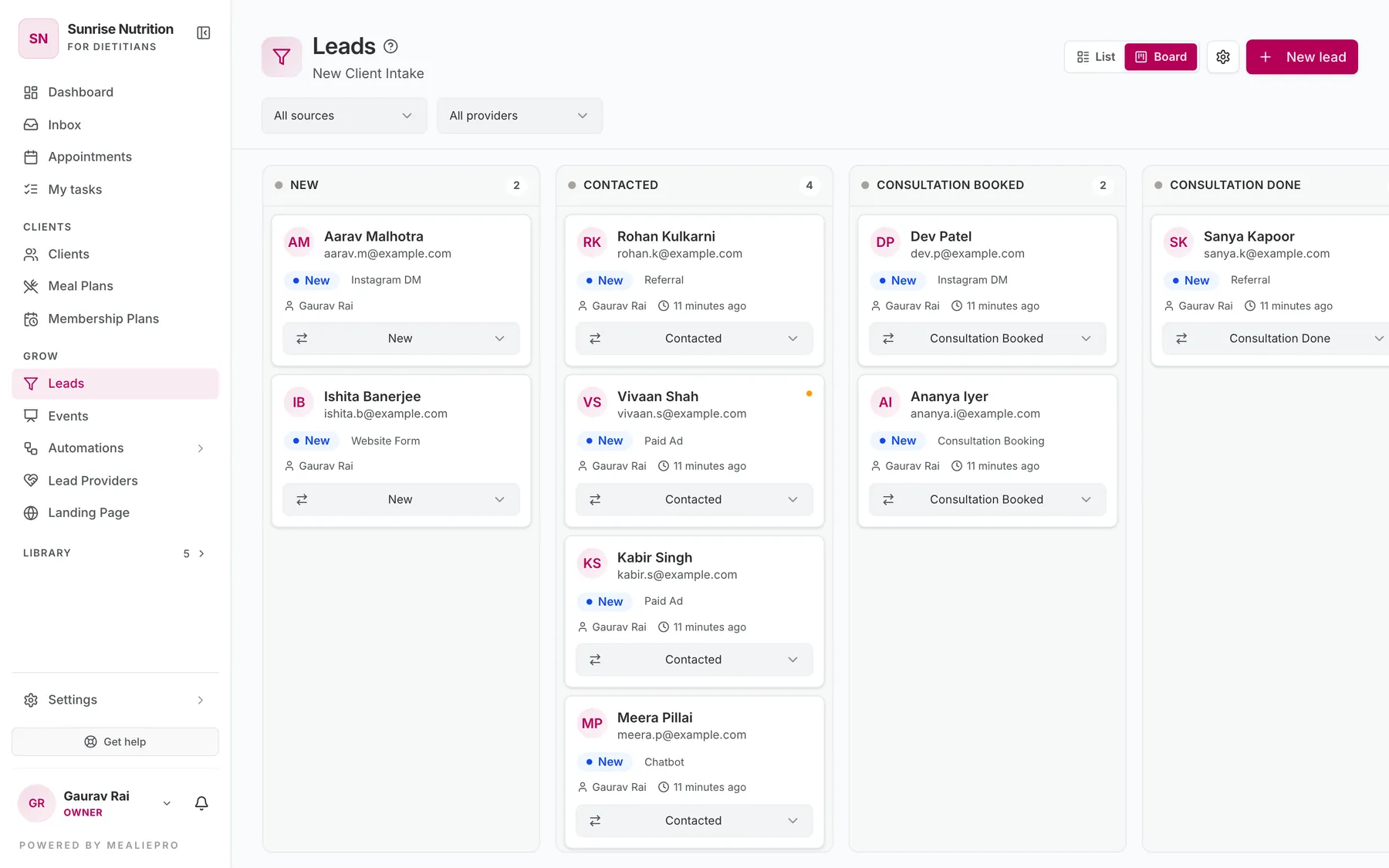
Instagram, website, referrals and walk-ins, all on one pipeline.

  • See the source of every lead
  • Stale cards flag themselves
  • Convert to client in one step, history kept
The lead board: kanban columns from New to Consultation Done with lead cards showing source and owner

3. Client records

Every client, one record

Intake, plans, progress and payments on one page, shared with your team.

  • Versioned medical intake
  • Assign coaches and dietitians per client
  • Progress, food logs and check-ins inline
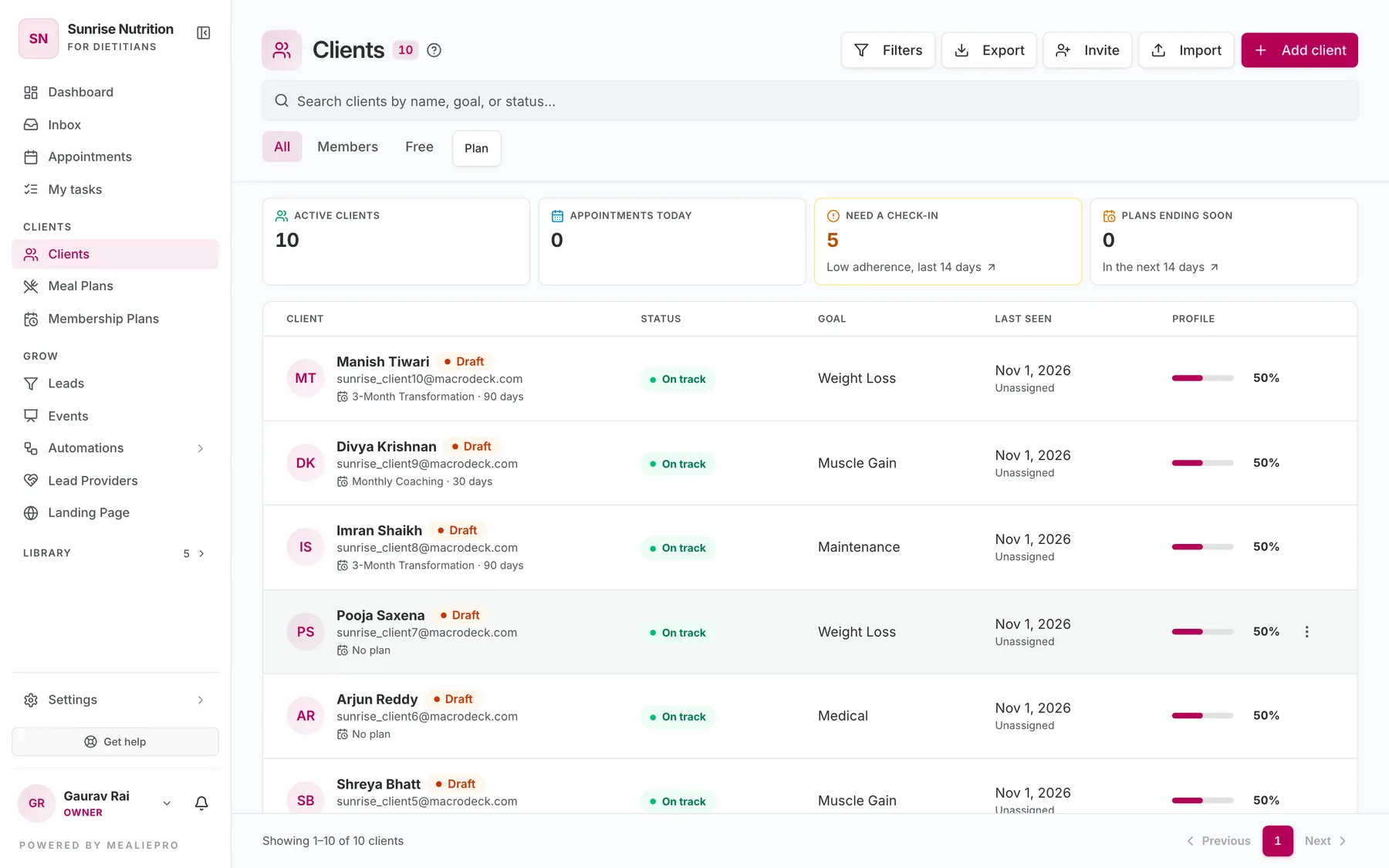
The client list with profiles, goals and activity for each client

Automations

While you coach, it follows up

The messages you'd send anyway, sent on time. Here is one week on autopilot.

  1. Sunday, 9:14 pm

    A lead arrives

    From your website or Instagram link.

  2. 9:15 pm

    The welcome goes outEmail + WhatsApp

    With their name on it.

  3. Two days later

    A gentle nudgeEmail

    No reply? It follows up for you.

  4. When they book

    The chase stops

    Their card moves forward by itself.

  5. Monday morning

    You get the handoverTask for your team

    One click makes them a member.

New lead2 days laterBookedYour taskMember
journey runs a month
1,000
automation emails a month
2,000
WhatsApp messages a month
300

Monthly allowances on the Pro plan.

17 journeys, ready to switch on

Use them as they are, or make them yours.

Swipe, or tap to enlarge

One question. Their answer decides what happens next.

New leadAsks: want a call?
  • Yes, call meCall task for your team
  • Not right nowHabits email in a week
  • No replyFollow-up on both channels

Offer a call on WhatsApp

The Offer a call on WhatsApp journey on the canvas: a trigger, a WhatsApp question with three outcomes, tasks, waits and follow-up messages

It starts with

  • A new lead
  • A lead changes stage
  • A lead link
  • An event sign-up
  • A new client
  • You, by hand

Then it can

  • Send email
  • Send WhatsApp
  • Ask a question
  • Wait
  • If / else
  • Task for your team
  • Convert to member
  • Mealie Assistant

WhatsApp

Talk to clients where they already are

An assistant takes the first reply, at any hour. Your team picks up from one inbox.

  1. 1A template opens the chat
  2. 2Mealie Assistant answers and books
  3. 3Your dietitian takes over
SNSunrise NutritionBusiness account

    An example chat, as the lead sees it.

    The same chat, from your side

    One shared inbox. Take over from the assistant in a click.

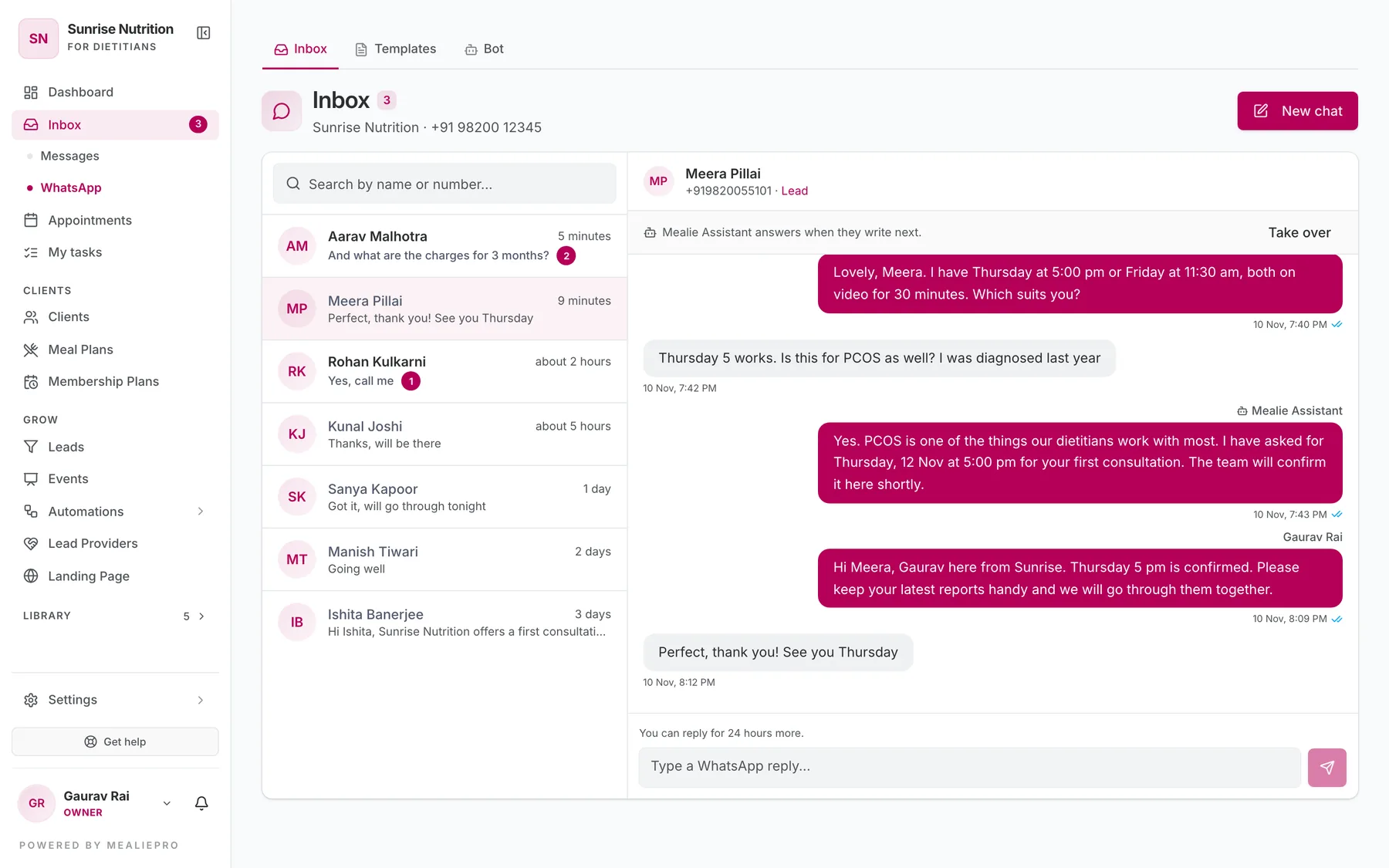
    The WhatsApp inbox: a list of chats with unread counts beside an open conversation where Mealie Assistant booked a consultation and a dietitian then confirmed it

    Swipe to see the whole inbox.

    Reminders that get readAppointment reminders, with a button that opens the app.
    Your number or oursStart on ours with no setup. Connect your own any time.
    One team inboxEvery chat, matched to its client or lead.
    Answers at 11 pmMealie Assistant replies, books and hands over.
    Your own templatesWrite one, send it for approval, use it.
    STOP means stopOpt-outs are honoured automatically.
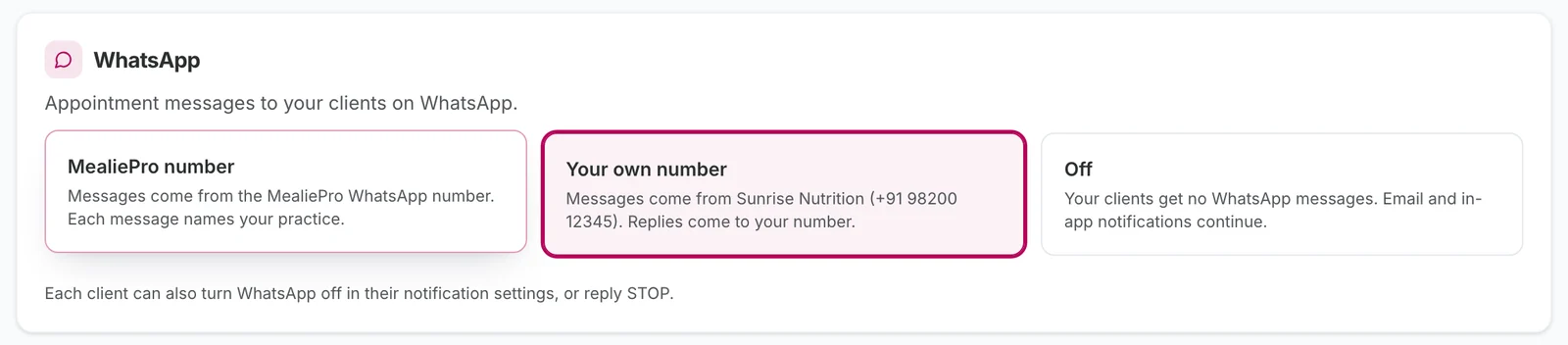
    The WhatsApp setting: three choices, the MealiePro number, your own number, or off
    Whose number it comes from is one setting.

    Mealie Assistant

    A front desk that never clocks off

    It answers enquiries on your website and on WhatsApp, offers your real free times, and calls you in when a person should take over.

    Never gives diet or medical advice
    Answers only from what you wrote
    Hands over to a person
    Off until you switch it on
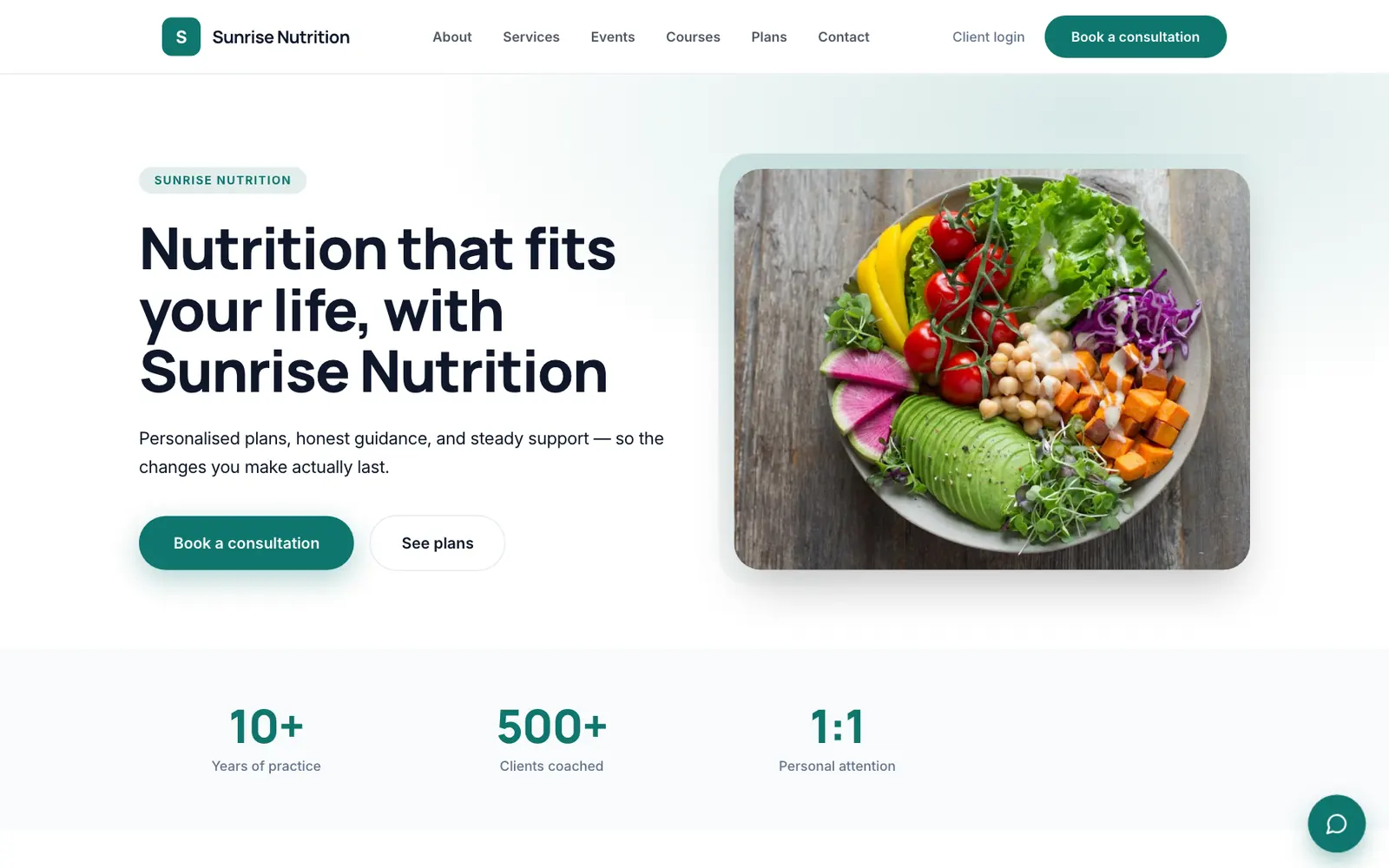
    A practice website built in MealiePro
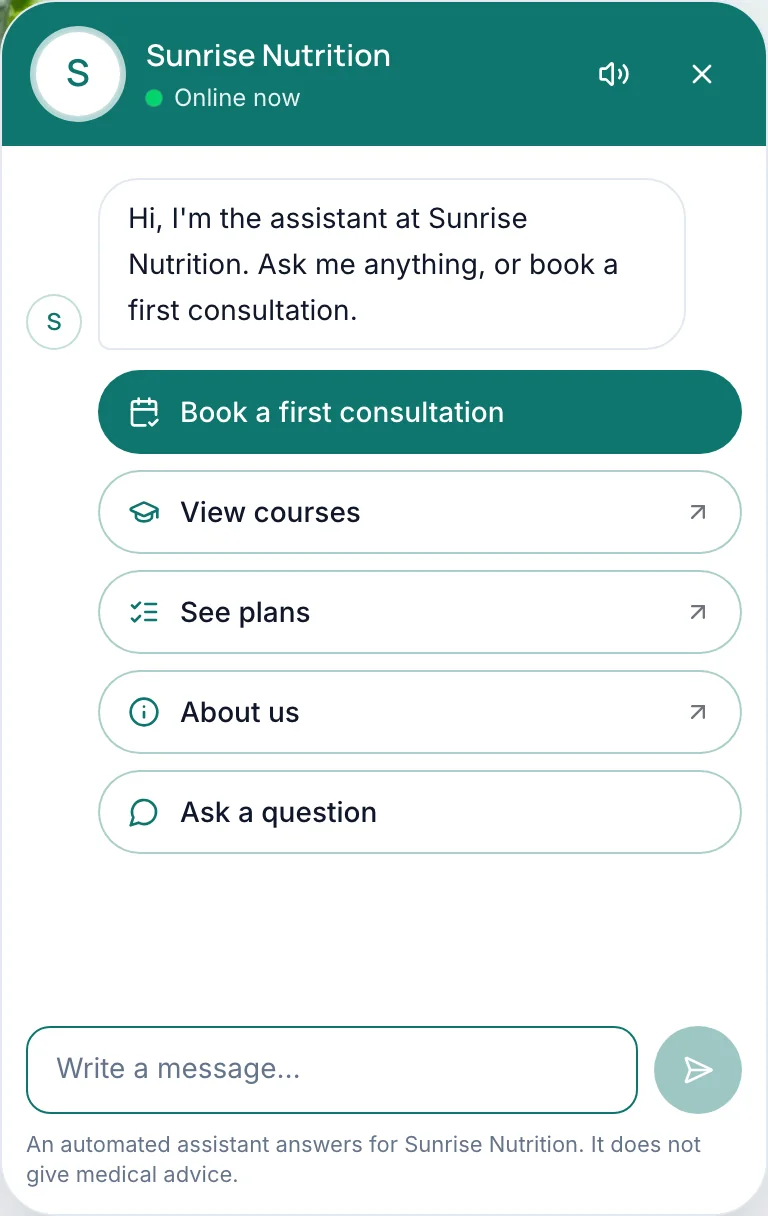
    The chat panel on the website: a greeting from the assistant and buttons to book a first consultation, view courses, see plans or ask a question
    On your websiteThe same assistant on WhatsApp
    The assistant as visitors see it: a chat panel on the practice's own website.

    It runs on your practice, not on guesses

    Nothing to import. It reads your account and reports back to it.

    It works from

    What you writeAbout your practice
    Your calendarReal free times
    Your teamWho takes over
    MealieAssistant

    It sends back

    A booking requestYou confirm it
    A new leadWith the whole chat
    An alertWhen it needs you
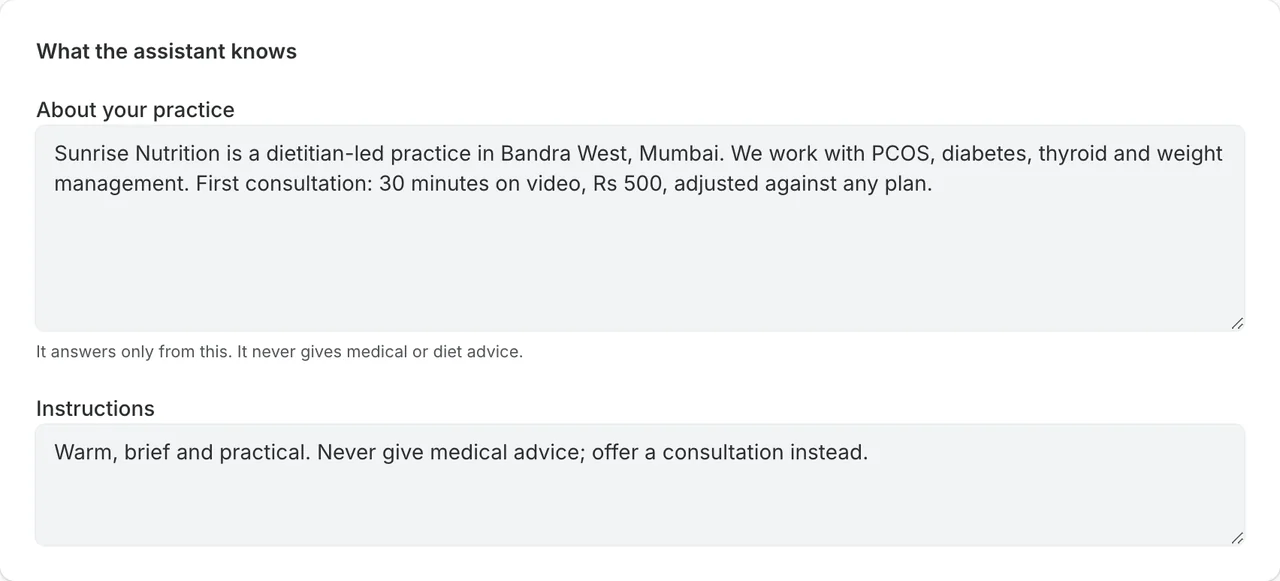
    1You write what it knows.
    The setting where a practice writes what the assistant knows about it
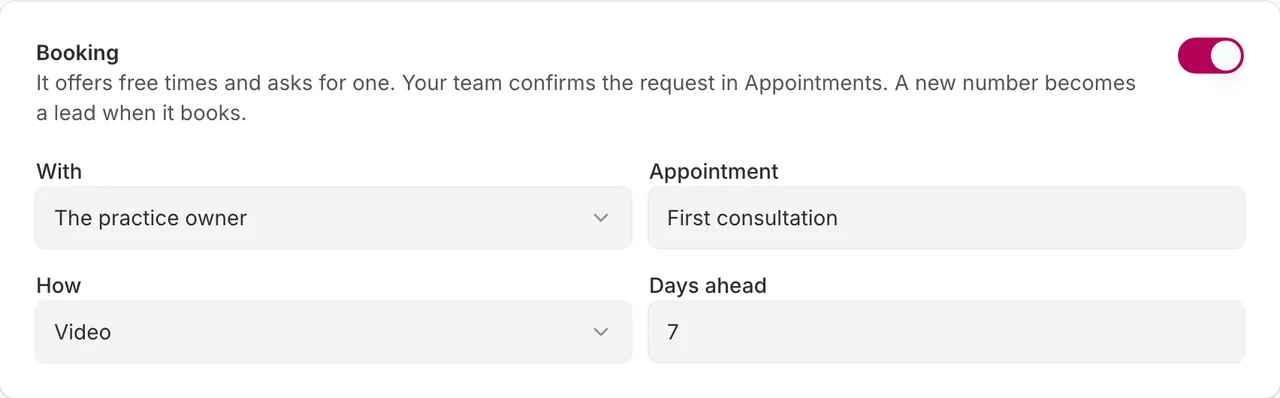
    2It offers your free times. You confirm.
    The booking setting: who the appointment is with, its name, how, and how many days ahead
    3You choose who it hands over to.
    The hand-over setting: who gets the alert

    Your website

    A website that fills itself in

    Pick a design and publish it on your own domain. Your plans, courses and events come straight from your account.

    www.yourpractice.com
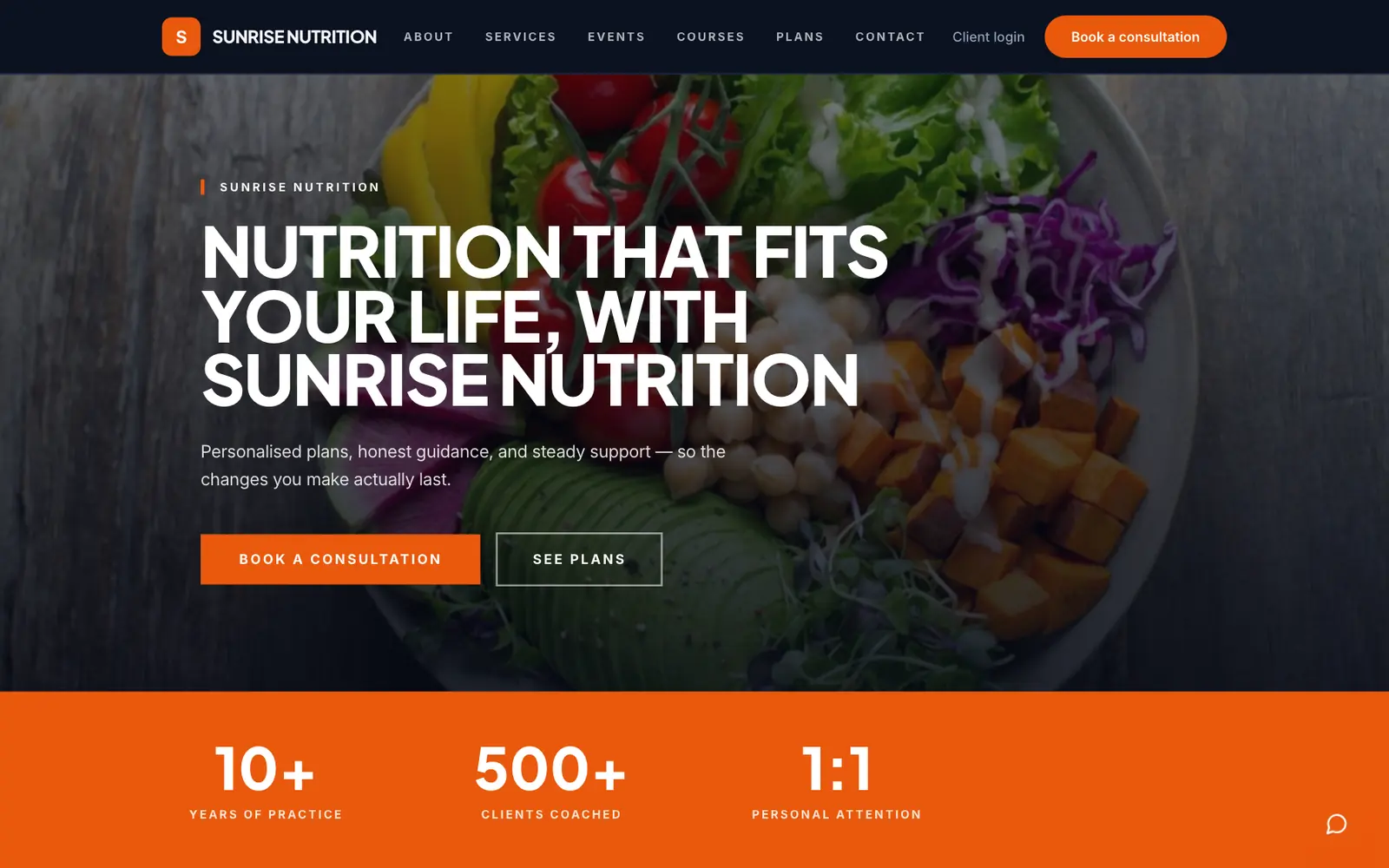
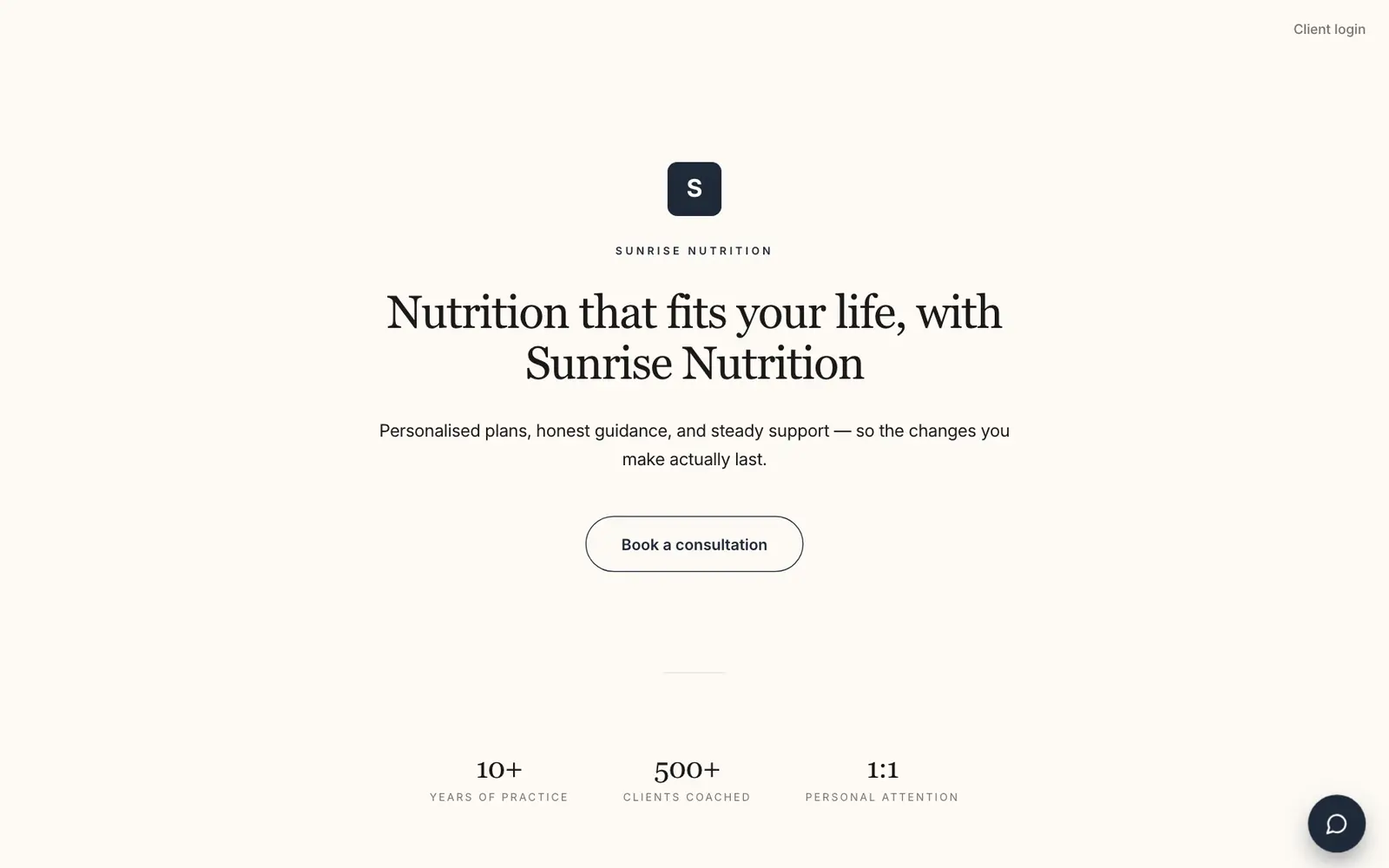
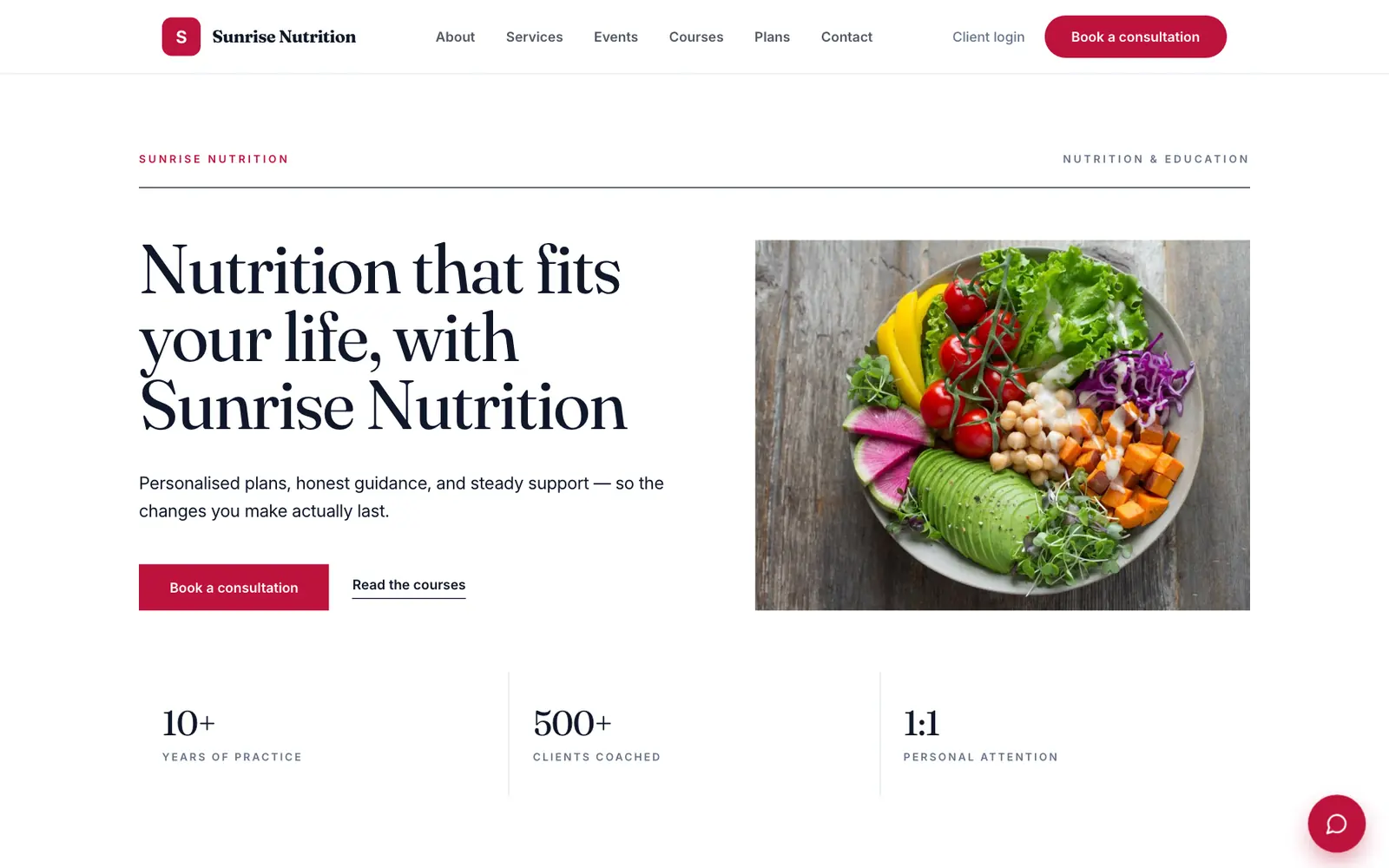
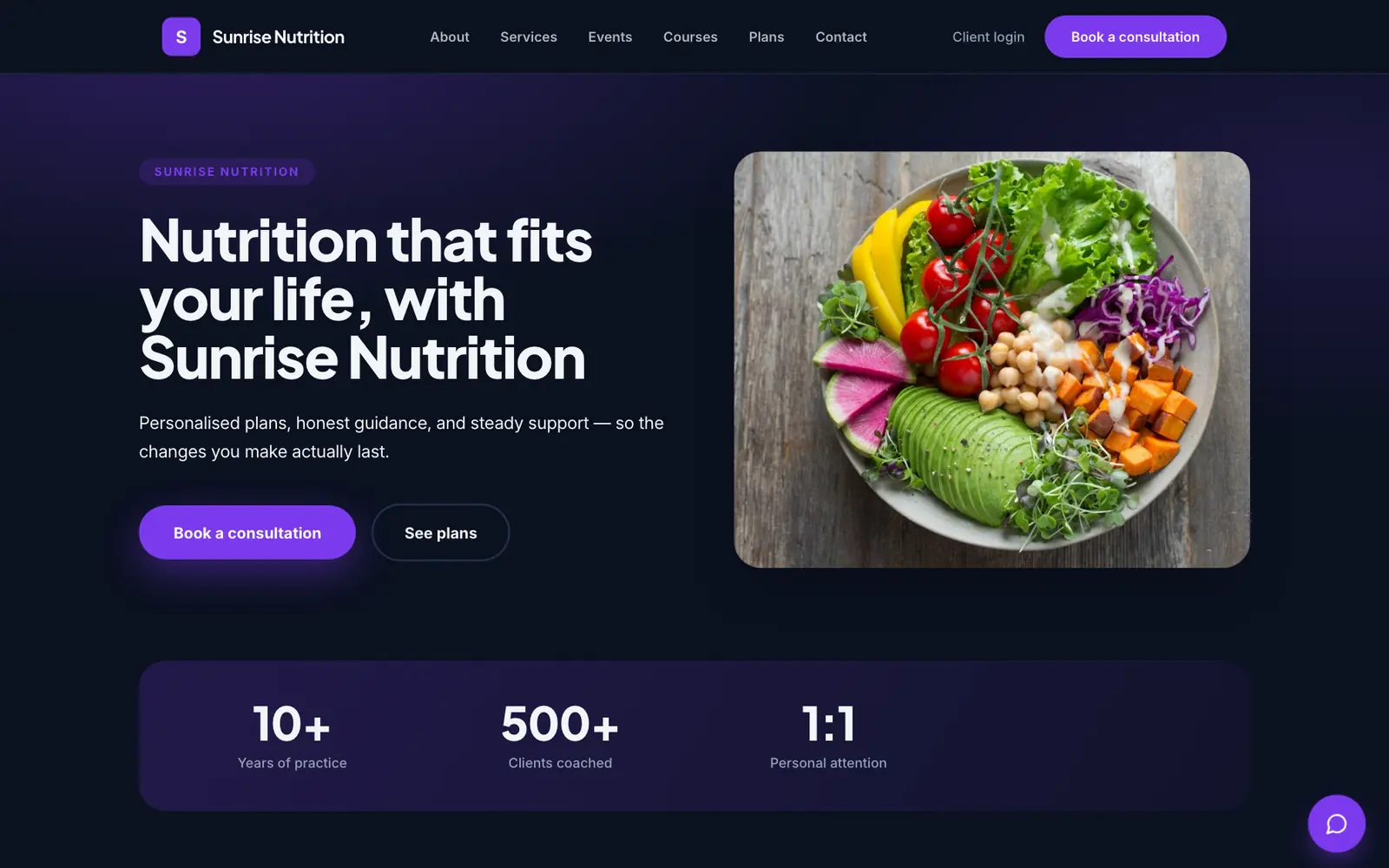
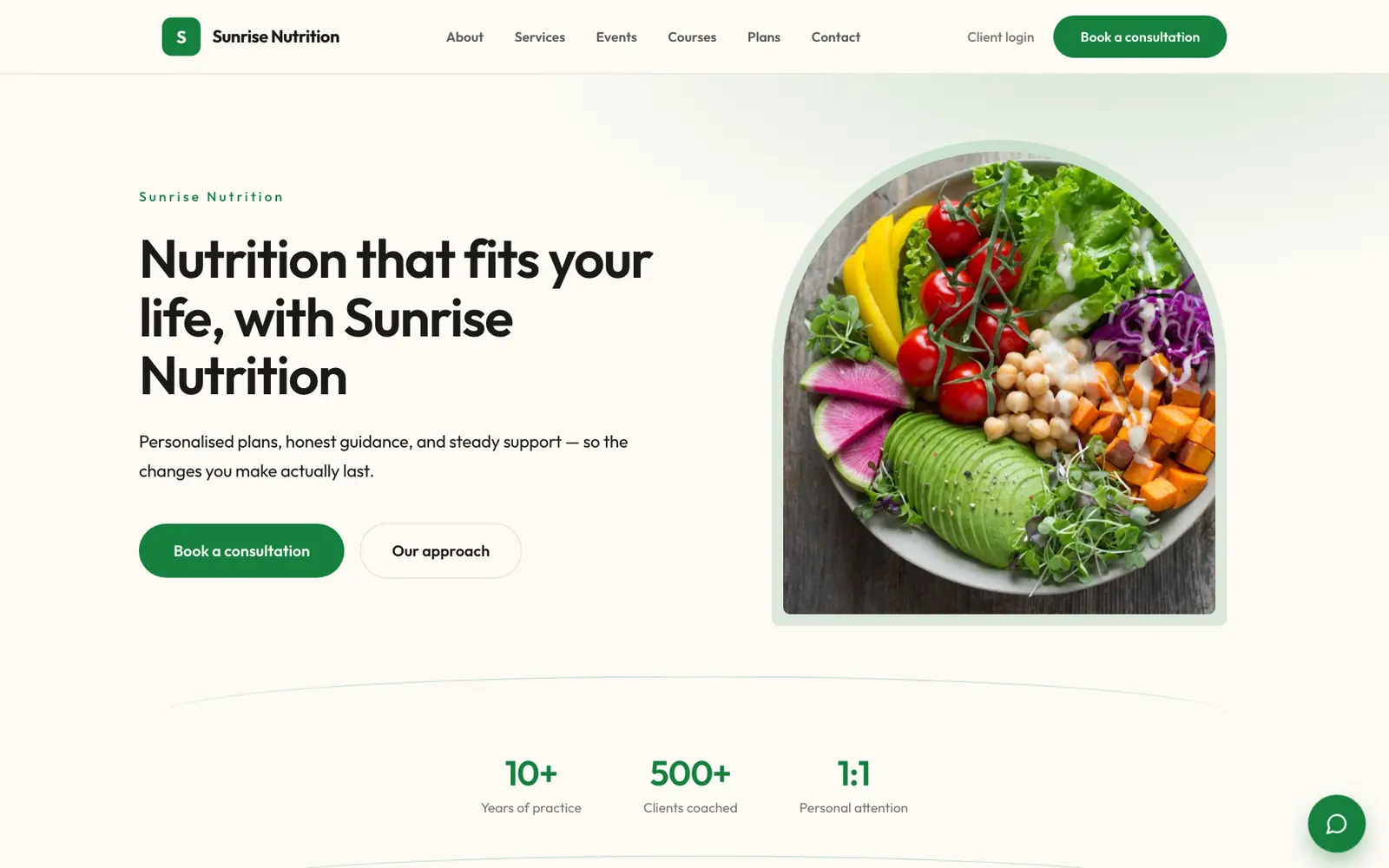
    A practice website in the Classic Clinic design

    One practice, six designs. Change your mind any time.

    Enter it once. It shows up here.

    Mark a plan, event or course as Featured. Change the price later and the site follows.

    In your account, under Membership plans

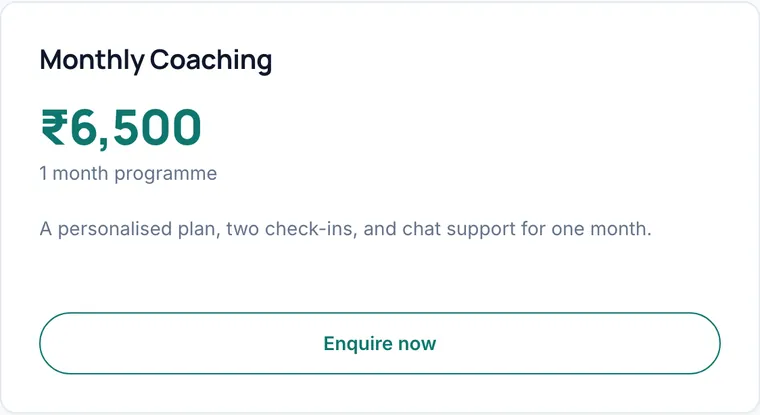
    Monthly Coaching₹6,500Featured
    The plan as it appears on the website, with its price and an enquire buttonOn your website

    In your account, under Events

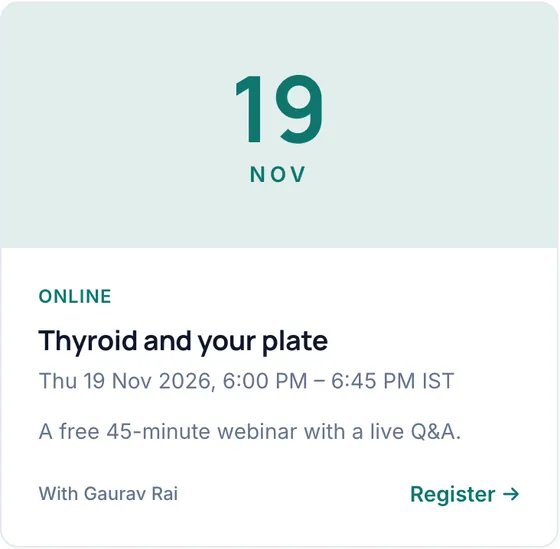
    Thyroid and your plate19 NovFeatured
    The event as it appears on the website, with its date and a register linkOn your website

    In your account, under Courses

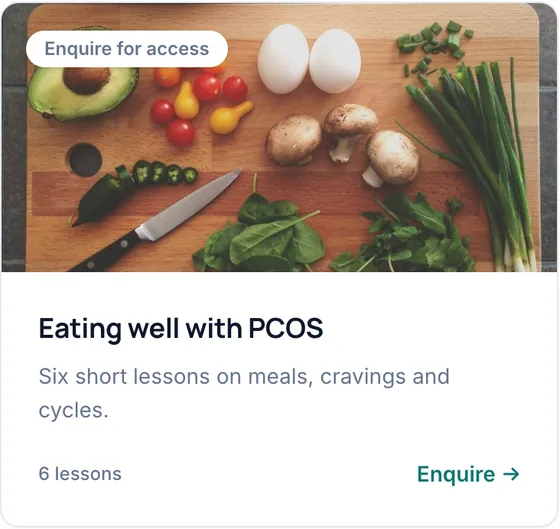
    Eating well with PCOS6 lessonsFeatured
    The course as it appears on the website, with its lesson countOn your website

    And it works the other way

    1. A visitor enquires
    2. A lead on your board
    3. A journey follows up
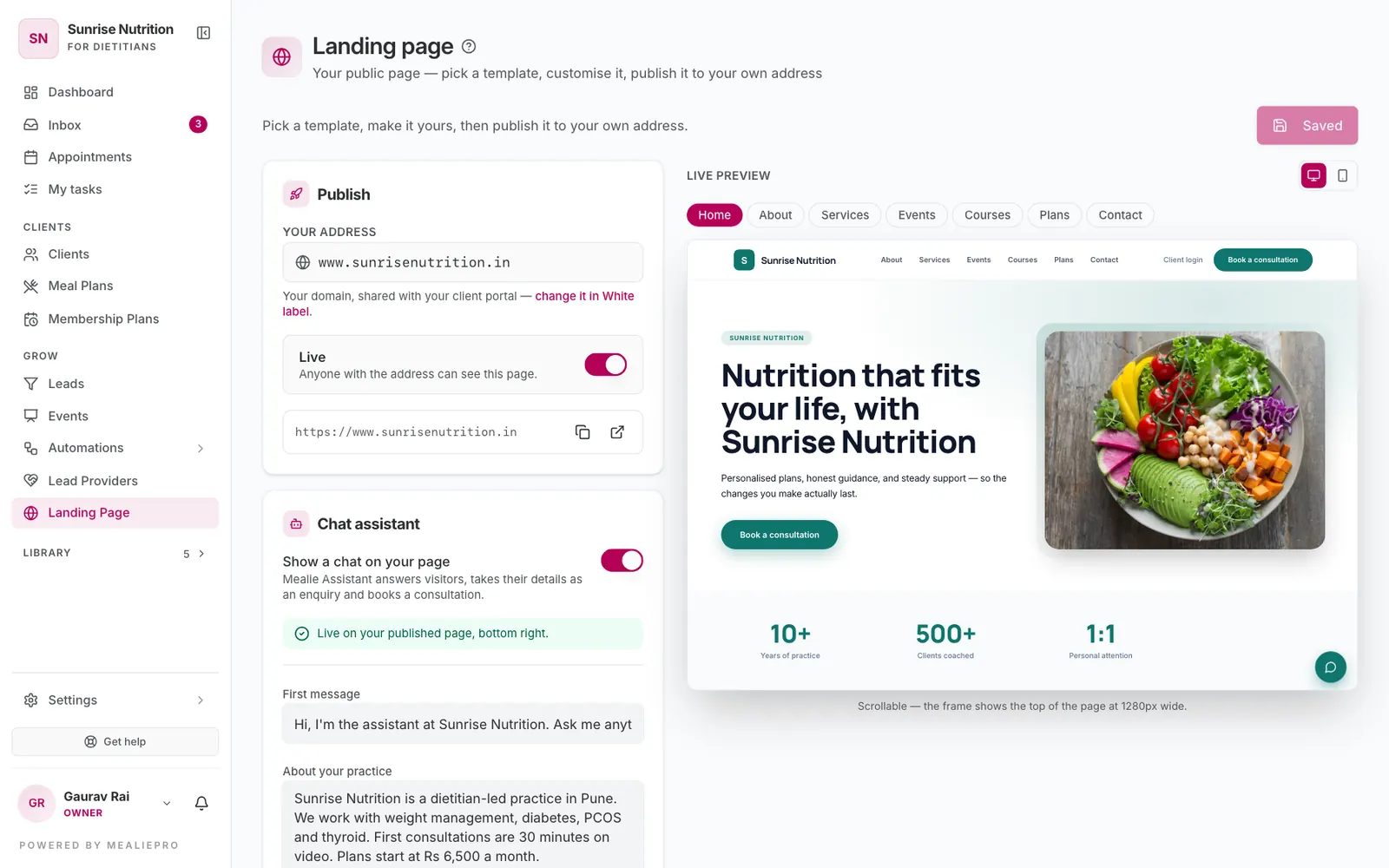
    The website editor: publish switch, chat assistant setting and a live preview of the page
    Edit on the left, see it on the right. No designer, no developer.Or have us design one just for you

    White label

    Every screen, in your colours

    Your clients see your practice, not ours. Pick a brand below and watch four screens change.

    Try a brand

    Login screen

    What you can make yours

    In every paid planWith the white-label add-on

    Logo and colourPortal, emails, plan PDFsIn every paid plan
    Invoices4 designsIn every paid plan
    Login screens3 layouts, your taglineWith the white-label add-on
    EmailsYour sender name and headerWith the white-label add-on
    Plan PDFs7 themesWith the white-label add-on
    Client dashboardYour welcome, your widgetsWith the white-label add-on
    Your domainPortal and websiteWith the white-label add-on
    Our name, goneNo “Powered by” lineWith the white-label add-on
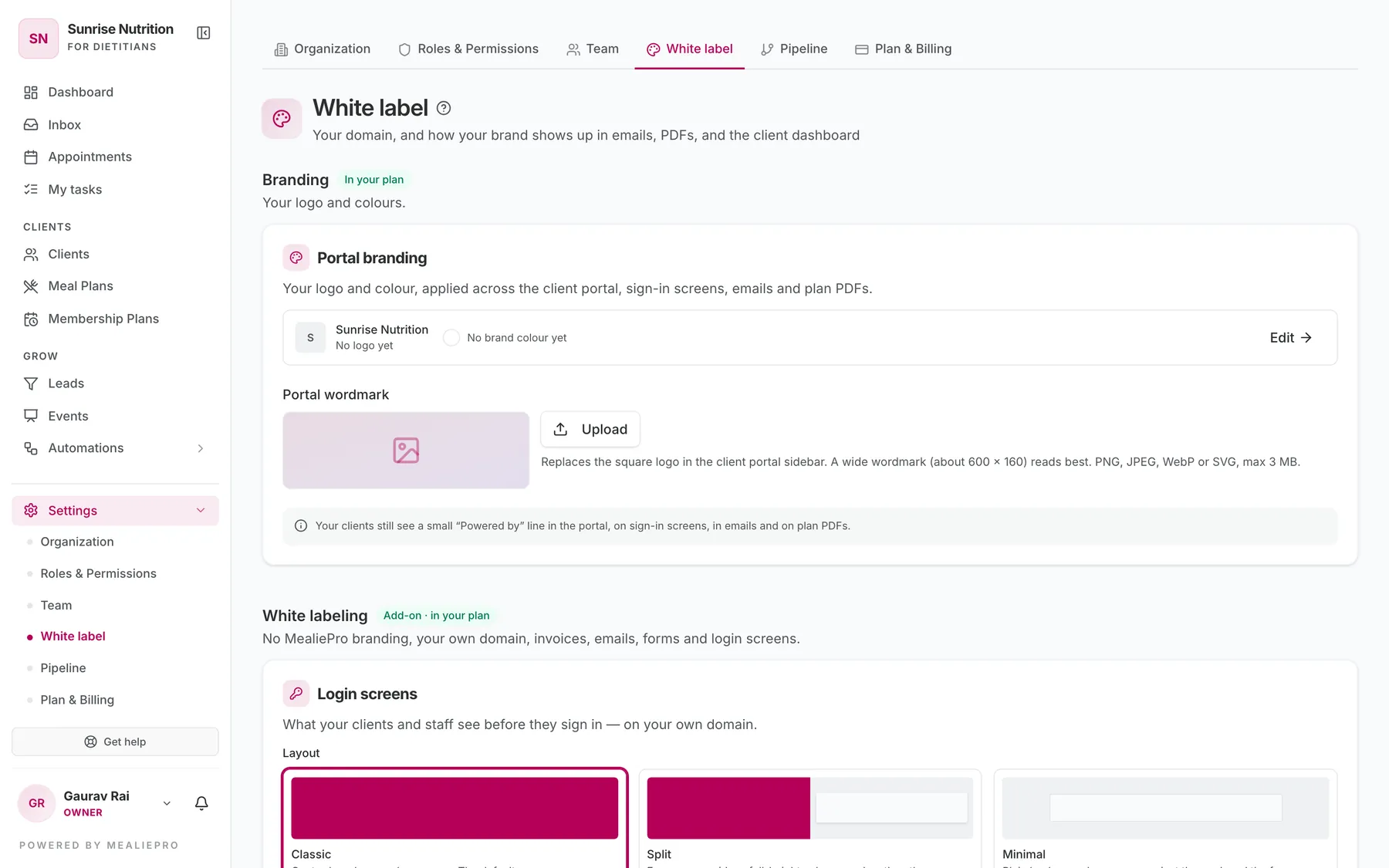
    The white-label settings: portal branding, wordmark upload and the three login screen layouts
    The real settings page. No code, no designer.

    GST invoicing

    A proper tax invoice, in one click

    Assign a plan, press Invoice. Out comes a numbered GST document with your letterhead and a scan-to-pay QR.

    Gapless numbering

    One clean series a year, from INV/2627/0001.

    The right tax, every time

    CGST and SGST, or IGST, worked out for you.

    Scan-to-pay UPI

    A QR for the exact amount on every unpaid invoice.

    Not GST-registered? Fine.

    Issue a plain numbered invoice at zero tax.

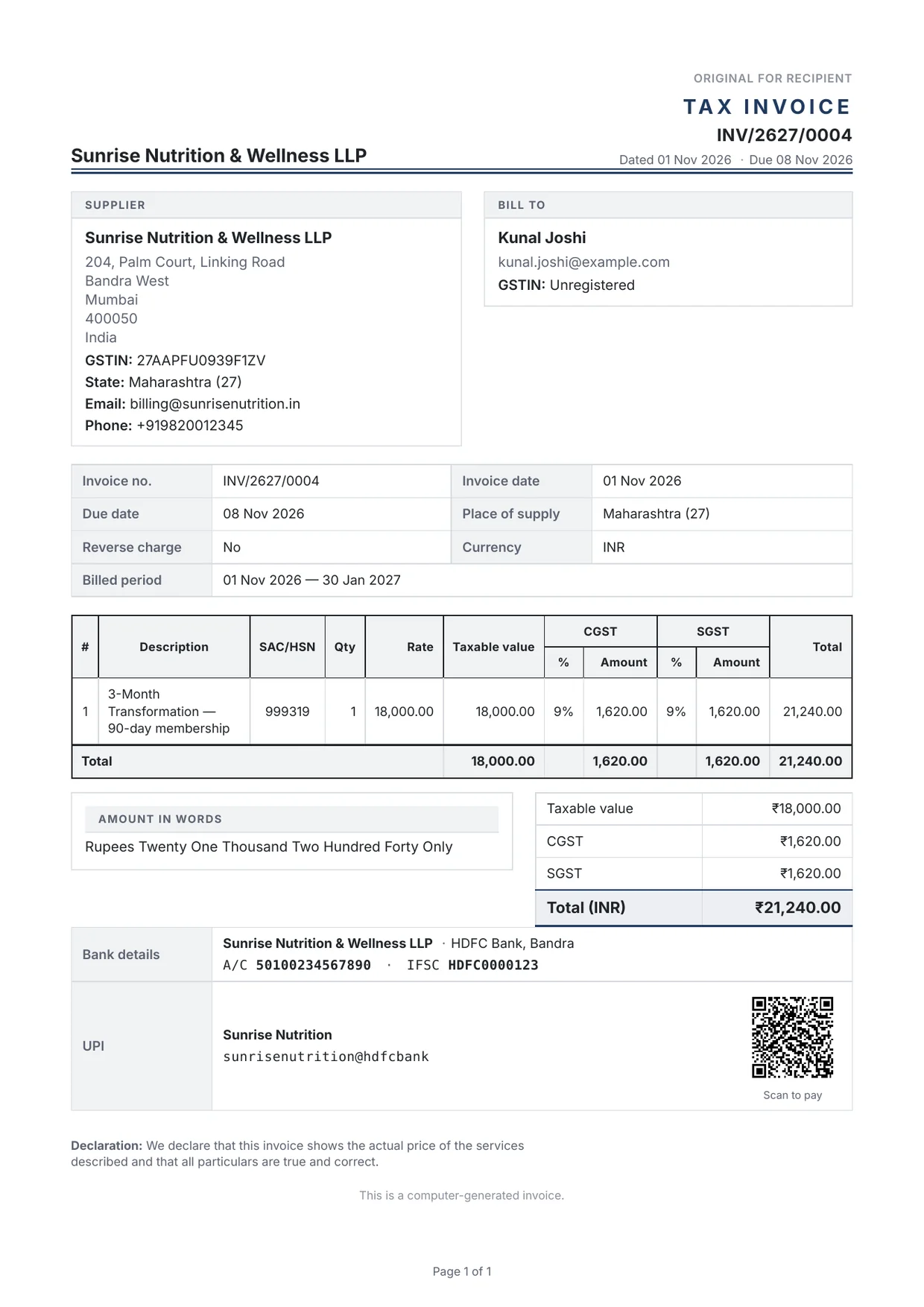
    A rendered GST tax invoice: supplier and client details, CGST/SGST split, bank details and a scan-to-pay UPI QR code

    A real invoice from the platform. Clients scan the QR to pay.

    Mobile apps

    One app for them, one for you

    Both on Google Play today. iPhone apps are on the way.

    For your clients

    MealiePro

    You build the plan. The app keeps them on it.

    • Today
    • Meal plan and recipes
    • Food log
    • Progress and wellness
    • Messages
    • Appointments
    • Notifications
    Get it onGoogle PlayApp StoreComing soon
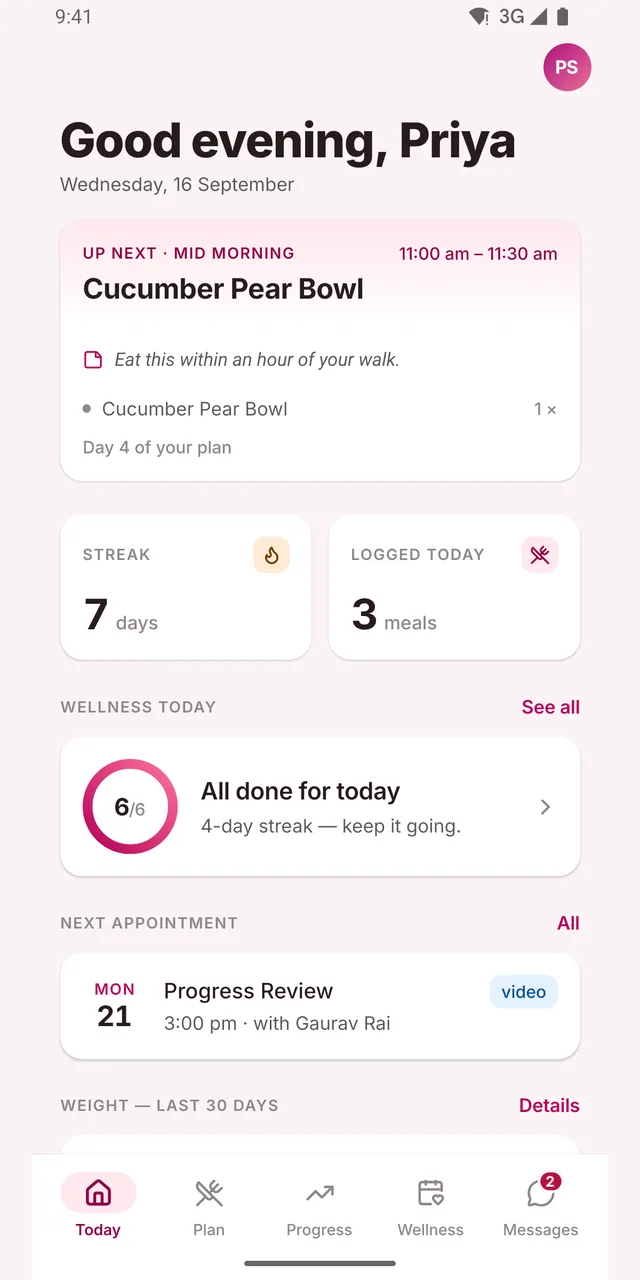
    MealiePro client app, Today screen: the next meal, streak and wellness check-ins
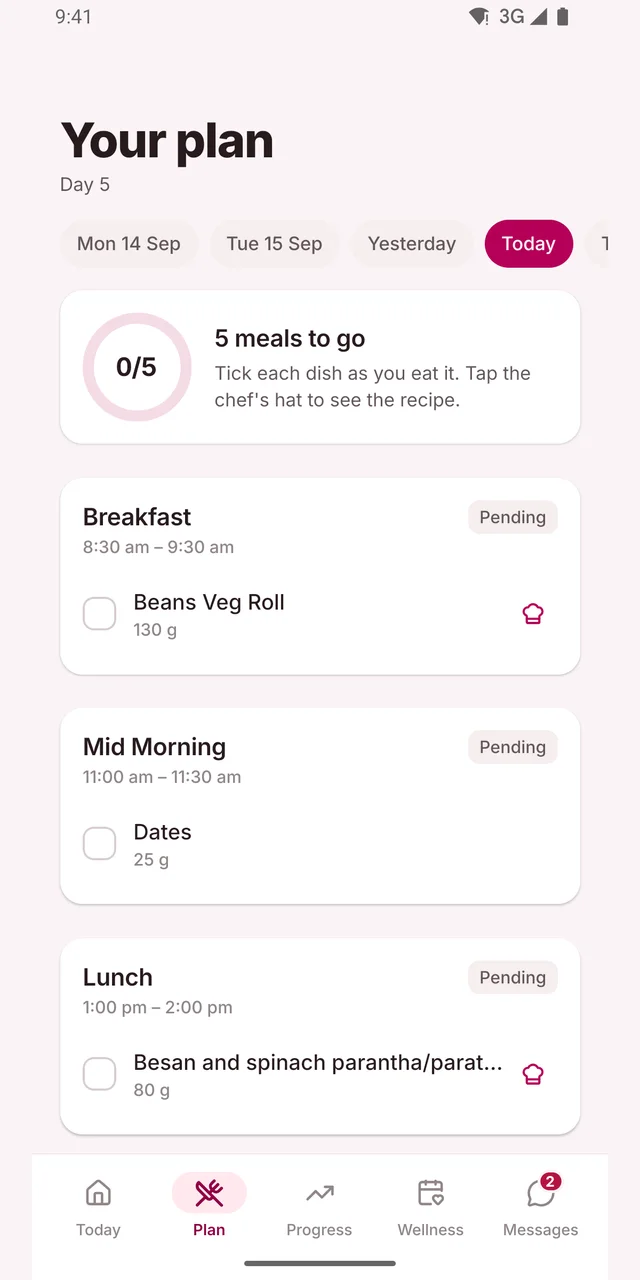
    MealiePro client app, Plan screen: the day's meals with portions

    For you and your team

    MealiePro Business

    Check on every client, between consultations.

    • Today
    • Clients
    • Tracking
    • Calendar
    • Inbox
    • Notifications
    Get it onGoogle PlayApp StoreComing soon
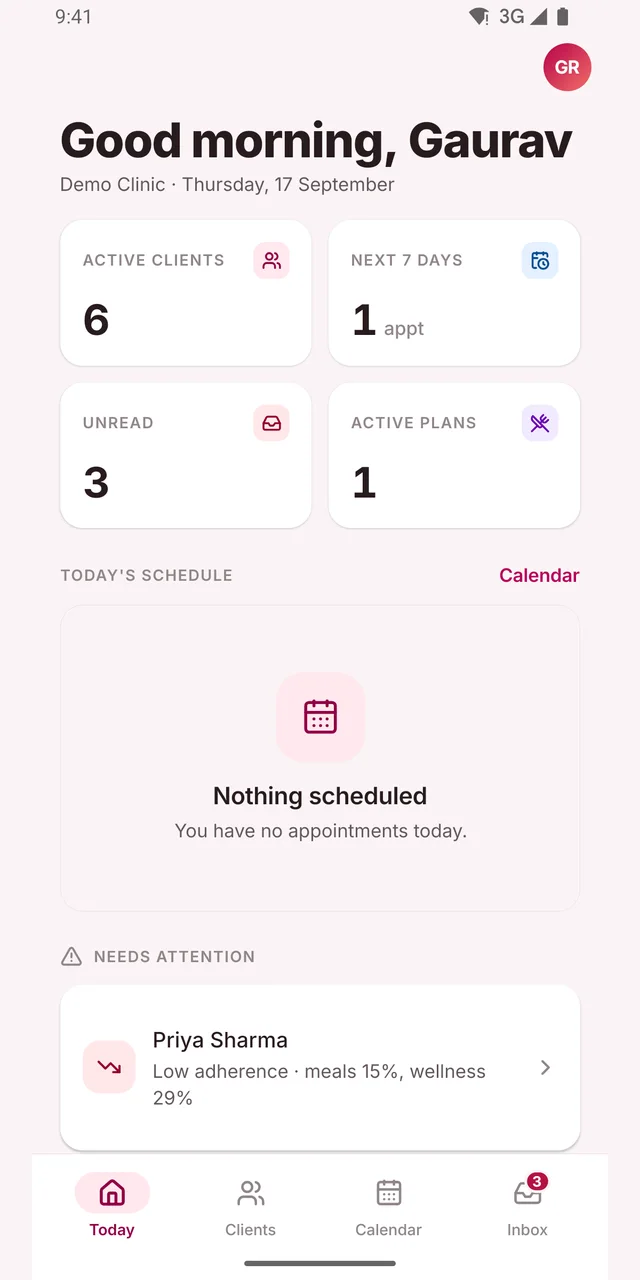
    MealiePro Business app, Today screen: active clients, schedule and who needs attention

    Getting started

    Live within a week, not a quarter

    1

    We set you up

    We bring in your clients and add your branding.

    2

    You run your day in one place

    Plans, appointments, messages and payments, together.

    3

    The platform works your list

    Journeys follow up while you coach.

    Who it's for

    Built around nutrition work

    • Clinical & therapeutic dietitians
    • Sports & performance coaches
    • Weight-management coaches
    • Online & remote coaches
    • Clinics & multi-coach teams
    • Holistic & wellness practitioners

    FAQ

    The questions practices ask us

    How do I sign up?

    Getting started is personal — reach out via Talk to us and our team will set up your account, tailor it to your practice, and walk you through everything. Existing users can log in any time.

    Is this just a meal-planning tool?

    No. Meal planning is one part of it — alongside client records, appointments, a lead pipeline, email and WhatsApp journeys, an assistant that answers enquiries, your own website, and GST invoicing. The point is that they work together.

    Do I have to build automations from scratch?

    No. Every practice starts with 17 ready-made journeys as drafts — welcomes, follow-ups, consultation booking, onboarding, renewals. Switch on the ones you want, change the wording, or build your own on the canvas.

    How does WhatsApp work? Do I need my own business number?

    You don't need one. Messages can go from the Mealie number, each naming your practice. If you want them to come from your own number, with a team inbox for the replies, connect your WhatsApp Business number from Settings; Meta then bills you for those messages directly.

    Can I invoice clients if I'm not GST-registered?

    Yes. Without a GSTIN you issue a plain numbered invoice at zero tax; with one, a proper tax invoice with the CGST/SGST or IGST split. Either way the client gets a scan-to-pay UPI QR.

    Is there a mobile app?

    Yes, two. MealiePro for your clients and MealiePro Business for your team are both on Google Play. The iPhone apps are on their way to the App Store; until then the web portal works in any phone browser.

    Can I use my own branding and domain?

    Your logo and colour are part of every paid plan, on the client portal, sign-in screens, emails and plan PDFs. The white-label add-on goes further: your own domain, login layouts, email sender name, PDF themes, the client dashboard, and no platform name where your clients look.

    Do I have to enter my plans and prices again for the website?

    No. Tick a membership plan, course or event as Featured and it appears on your website with its current price, date or lesson count. Change it once and the website follows. Enquiries from the site arrive on your leads board. The website is an add-on, published on your own domain.

    What does Mealie Assistant actually say to people?

    Only what you have written about your practice. It answers questions, offers your real free times and sends you the booking request to confirm, and hands the chat to your team when it should. It never gives diet or medical advice, and it stays off until you switch it on.

    Is my client data secure?

    Your data is encrypted in transit and at rest, isolated per practice, and never shared or sold. You stay in full control of your records.

    Bring your practice together

    Tell us about your practice. We set everything up with you.